
 Afrikaans
 Azərbaycanca
 Bosanski
 Català
 Cymraeg
 Dansk
Dansk
 Deutsch
 Eesti
Eesti
 English (Canada)
 English (New Zealand)
 English (UK)
 English (US)
 Español
 Español (Argentina)
 Español (Colombia)
 Español (Guatemala)
 Español (México)
 Español (Uruguay)
 Euskara
 Filipino
 Français
 Français (Canada)
 Gaeilge
 Galego
 Hrvatski
 Italiano
 Latviešu
 Lietuvių
 Lëtzebuergesch
 Magyar
 Malti
Malti
 Nederlands
 Norsk
Norsk
 Oʻzbekcha
 Polski
 Português
 Português (Brasil)
 Română
 Shqip
Shqip
 Slovenčina
 Slovenščina
 Suomi
Suomi
 Svenska
 Tiếng Việt
 Türkçe
 Íslenska
 Čeština
 Ελληνικά
 Беларуская
 Български
 Македонски
 Русский
 Српски
 Українська
 Қазақша
 Հայերեն
 עברית
עברית
 اردو
اردو
 العربية
 فارسی
فارسی
 پښتو
پښتو
 ไทย
ไทย
 ქართული
 日本語
日本語
 한국어
한국어
Most people are used to standard auto-translators that translate text sentence by sentence, in isolation from each other. As a result, the meaning of the conversation gets distorted, professional terms are translated inaccurately, and pronouns lose logical connection.
Max Translator is a high-quality and accurate next-generation translator powered by advanced artificial intelligence models (Gemini and GPT). Our platform translates text without mechanical errors or silly distortions. This is achieved not just through a quality dictionary, but thanks to deep context analysis, maintaining conversation history, and flexible communication tone settings.
Four technologies that make translation accurate
1. Continuous conversation history and memory
Classic translators suffer from 'digital amnesia' – they instantly forget what was translated a second ago. Because of this, a two-way dialogue turns into a set of disjointed phrases.
How it works in Max Translator: The AI retains the entire history of the current conversation in memory.
- Example of a standard translator error: You say at the bank: 'My card is blocked.' Then you ask: 'How do I restore it?' A standard program will translate the word 'it' as an abstract 'it' or 'her,' losing the connection to the word 'card.'
- Max Translator's solution: Our accurate translator remembers that three phrases ago, the conversation was about a bank card. It will automatically establish the correct grammatical connections and translate the pronoun perfectly, preserving the logic of the conversation.
2. Understanding the global context of the situation
The same word can have completely different meanings in different life situations. Word-for-word translation often leads to awkward and even dangerous situations (for example, at a doctor's appointment or when filling out documents).
How it works in Max Translator: The AI analyses the entire topic of the dialogue. The system recognises the communication sphere and automatically selects the correct terms: medical in a hospital, legal in court, financial in a bank. You get a natural, live translation, as if you had a professional interpreter by your side.
3. Flexible control of communication tone (Register of Voice)
In Russian, there is a clear difference between the respectful 'Вы' and the friendly 'ты.' In many foreign languages (such as Spanish, Japanese, or German), politeness rules are even stricter. Standard auto-translators often translate phrases too casually or, conversely, excessively formally.
How it works in Max Translator: You can manually set the desired tone of the translation:
- Formal tone: The AI will select the most polite grammatical structures, appropriate when communicating with customs, officials, landlords, or business partners.
- Informal tone: The translation will sound lively and natural, without artificial pomp – perfect for chatting in a café, bar, or with friends.
4. Additional system prompts (Fine-tuning the AI)
Every user faces unique tasks. Sometimes you need to make the translation shorter, sometimes use the simplest words for a child, and in other cases, add professional slang.
How it works in Max Translator: You can provide the AI with an additional prompt (instruction-hint). The artificial intelligence will instantly adapt its algorithms to your requirements. For example, you can specify: 'translate as if for a five-year-old child', 'use British English', or 'maintain a concise style of instructions'. Such a level of personalisation is unavailable in any standard translator.
High-quality translator in your smartphone
We created Max Translator for those who value confidence in every word. The combination of advanced AI, conversation memory, flexible tone, and manual settings ensures that your message is conveyed to the interlocutor in its original meaning – without silly mistakes or distortions.
Detailed usage instructions
How to use conversation context correctly
Using context is not mandatory, but it can improve translation quality. It is recommended for complex and important translations.
1. Set the context
 | Click this button, located in the centre of the site in the footer, under the menu (icon with three lines). After this, the left microphone will change its function and be ready to record the translation context. |
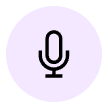 | Click the left microphone. Start speaking. Example of conversation context: 'I am at the bank discussing issues with my debit card with the manager.' After this, click the left microphone button again. The context will be set but not yet used for translation. |
 | If you want to describe the translation context in text, go to your Personal Account by clicking the rightmost button in the site header. Select the prompts settings tab. Write in the topmost field, which is called: 'Global Context (Scene)'. |
2. Use the context
 | To enable the AI to use the translation context, you need to turn it on. Go to the footer menu, the icon with three lines, and click the context enable button in this menu. |
How to control communication tone
In the additional footer menu, there is a button for controlling the translation tone. By clicking it, you can choose one of three modes:
 | Formal communication mode |
 | Informal communication mode |
 | Automatic. The AI does not adjust the tone of your conversation |
How to use conversation history
 | In the additional footer menu, there is a button for controlling translation memory. Click it to use the conversation history. |
Fine-tuning the prompt
 | Go to your Personal Account by clicking the rightmost button in the site header. Select the 'Prompts' tab. Find the 'Translation Prompt' field. After editing, don't forget to click the 'save prompts' button at the bottom of the tab. |
Warning! Only edit the prompt if you clearly understand what you are doing!
Editing the prompt allows you to control the AI and set some non-standard translation settings. For example, you can add to the end of the prompt: 'Try not to use complex technical terms' or 'Convert units of measurement to the metric system'.
High-accuracy AI translator works with the following languages:
North America: English, French
Europe: Albanian, Basque, Belarusian, Bosnian, Bulgarian, Catalan, Croatian, Czech, Danish, Dutch, English, Estonian, Finnish, French, Galician, German, Greek, Hungarian, Icelandic, Irish, Italian, Latvian, Lithuanian, Luxembourgish, Macedonian, Maltese, Norwegian, Polish, Portuguese, Romanian, Russian, Serbian, Slovak, Slovenian, Spanish, Swedish, Ukrainian, Welsh
Middle East & Africa: Afrikaans, Arabic, Hebrew, Persian, Turkish
Asia & Oceania: Armenian, Azerbaijani, English, Georgian, Japanese, Kazakh, Korean, Pashto, Tagalog, Thai, Urdu, Uzbek, Vietnamese
Latin America: Brazilian Portuguese, Spanish